How to Calculate Age in Google Sheets (Years, Months, Days)
Learn simple Google Sheets formulas to calculate age from a date of birth: years completed, years + months + days, and age as of a specific date. Includes copy‑paste examples and common fixes.
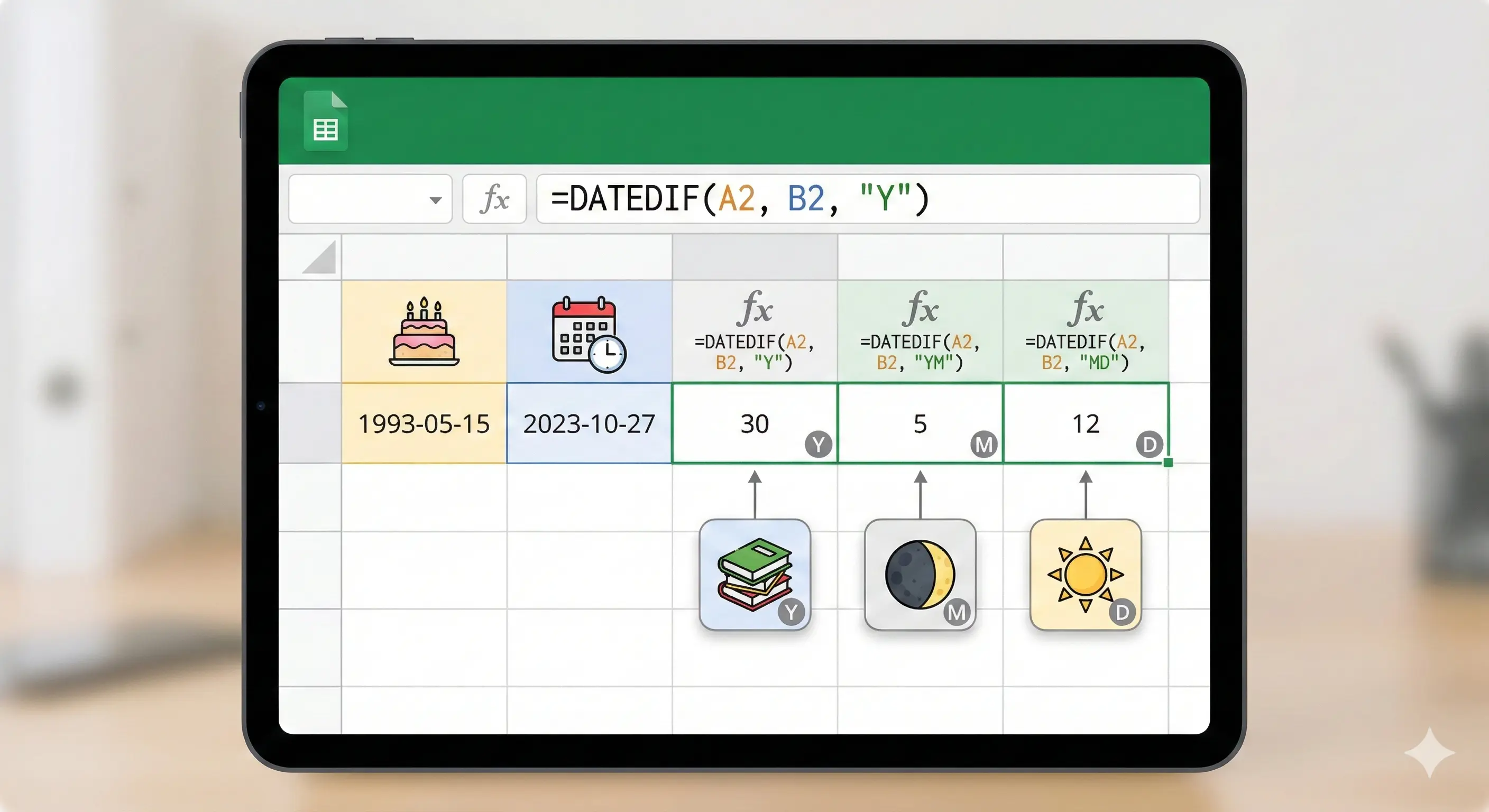
Need an age formula in Google Sheets? Below are the most practical ways to calculate age from a date of birth — as years completed, or as an exact age (years, months, days). All examples are copy‑paste friendly.
Before you start: what kind of “age” do you need?
- Years completed (e.g., 31) — common for HR, forms, eligibility checks.
- Exact age (e.g., 31 years 4 months 2 days) — useful in medical, education, or detailed reporting.
1) Age in years (years completed) with DATEDIF
If your date of birth is in A2, this returns full years completed as of today:
=DATEDIF(A2, TODAY(), "Y")2) Age in years (without DATEDIF)
Some people prefer a formula that doesn’t rely on DATEDIF. This version calculates years and then corrects if the birthday hasn’t happened yet this year:
=YEAR(TODAY())-YEAR(A2)-IF(DATE(YEAR(TODAY()),MONTH(A2),DAY(A2))>TODAY(),1,0)3) Exact age: years + months + days (Y / YM / MD)
This is the classic “exact age” pattern using DATEDIF:
=DATEDIF(A2, TODAY(), "Y")=DATEDIF(A2, TODAY(), "YM")=DATEDIF(A2, TODAY(), "MD")To combine into a readable text in one cell:
=DATEDIF(A2,TODAY(),"Y")&" years "&DATEDIF(A2,TODAY(),"YM")&" months "&DATEDIF(A2,TODAY(),"MD")&" days"4) Age as of a specific date (not TODAY)
If you need age “as of” a certain date (for example, the date of an exam or contract), put that reference date in B2 and use:
=DATEDIF(A2, B2, "Y")The exact-age version works the same way (replace TODAY() with B2).
5) Common issues (and quick fixes)
- #VALUE! usually means your DOB is stored as text. Fix it by converting the cell to a proper date format.
- Future DOB will cause errors. Add a guard like
IF(A2>TODAY(),"", ...). - Empty cells: wrap formulas with a blank check:
IF(A2="","", ...).
Quick sanity check
If you want to confirm your spreadsheet result, you can also use the online calculator here: Calculate Age Online.
Related (Excel version)
If you’re using Excel instead of Sheets, see: How to Calculate Age in Excel.
FAQ
Does DATEDIF work in Google Sheets?
Yes. Google Sheets supports DATEDIF with the same unit codes ("Y", "M", "D", "YM", "MD") commonly used in Excel.
How do I calculate age in years and months in Sheets?
Use DATEDIF(DOB, TODAY(), "Y") for years and DATEDIF(DOB, TODAY(), "YM") for remaining months, then combine them.
How do I calculate age as of a specific date?
Replace TODAY() with a cell containing your reference date, e.g. DATEDIF(A2, B2, "Y").